Querying Live Databases with Wanaku's SQL Tool Template
AI assistants are great at reasoning, but they have a blind spot: their answers come from training data that's frozen in time. Ask an AI "what laptops do you have under $1000?" and you'll get a plausible-sounding answer — just not one that reflects what's actually in your inventory right now.
What if the AI could just... check?
That's exactly what Wanaku's new sql-tool service template enables. It connects AI assistants to live relational databases through the Model Context Protocol (MCP), letting them query real data instead of guessing from stale knowledge.
Availability
The sql-tool template is part of the upcoming Wanaku 0.2.0 release, pending the merge of PR #1358. If you want to try it before the release, you can build from the PR branch.
Setting Up a PostgreSQL Database for AI Querying
To show this in action, we'll build a minimal helpdesk assistant that can answer product questions by querying a PostgreSQL database. The database has three tables — categories, products, and inventory — with sample data covering laptops, desktops, monitors, and accessories.
Step 1: Start PostgreSQL
Here is how to deploy a local PostgreSQL instance using Podman or Docker for our AI database tool:
podman run --rm --name wanaku-postgres \
  -p 5432:5432 \
  -e POSTGRES_PASSWORD=wanaku \
  postgres
Step 2: Create the Schema and Load Data
In a separate terminal, import the demo schema:
podman exec -i wanaku-postgres psql -U postgres -d postgres < sql-tool-demo.sqlYou can download the SQL script here: sql-tool-demo.sql.
Step 3: Verify the Data
Quick sanity check:
podman exec -i wanaku-postgres psql -U postgres -d product_catalog \
  -c "SELECT name, price FROM products WHERE price < 1000 ORDER BY price;"
You should see results like:
        name         | price
---------------------+--------
 IdeaPad Slim 3      | 429.99
 Inspiron 15 3530    | 549.99
 Pavilion Desktop    | 699.99
 ThinkPad E14 Gen 6  | 749.99
(4 rows)
Exposing SQL Queries as MCP Tools using Wanaku
Now for the interesting part. Wanaku's sql-tool template packages everything needed to expose a SQL query as an MCP tool: the Camel route, the MCP tool definition, and the required dependencies. You just provide your connection details and the query.
Instantiate the Template
wanaku service template instantiate \
  --name sql-tool \
  --property forage.jdbc.username=postgres \
  --property forage.jdbc.password=wanaku \
  --property sql.query='SELECT name, price FROM products WHERE price < ${body} ORDER BY price' \
  --service-name product-catalog \
  --service-system product-catalog
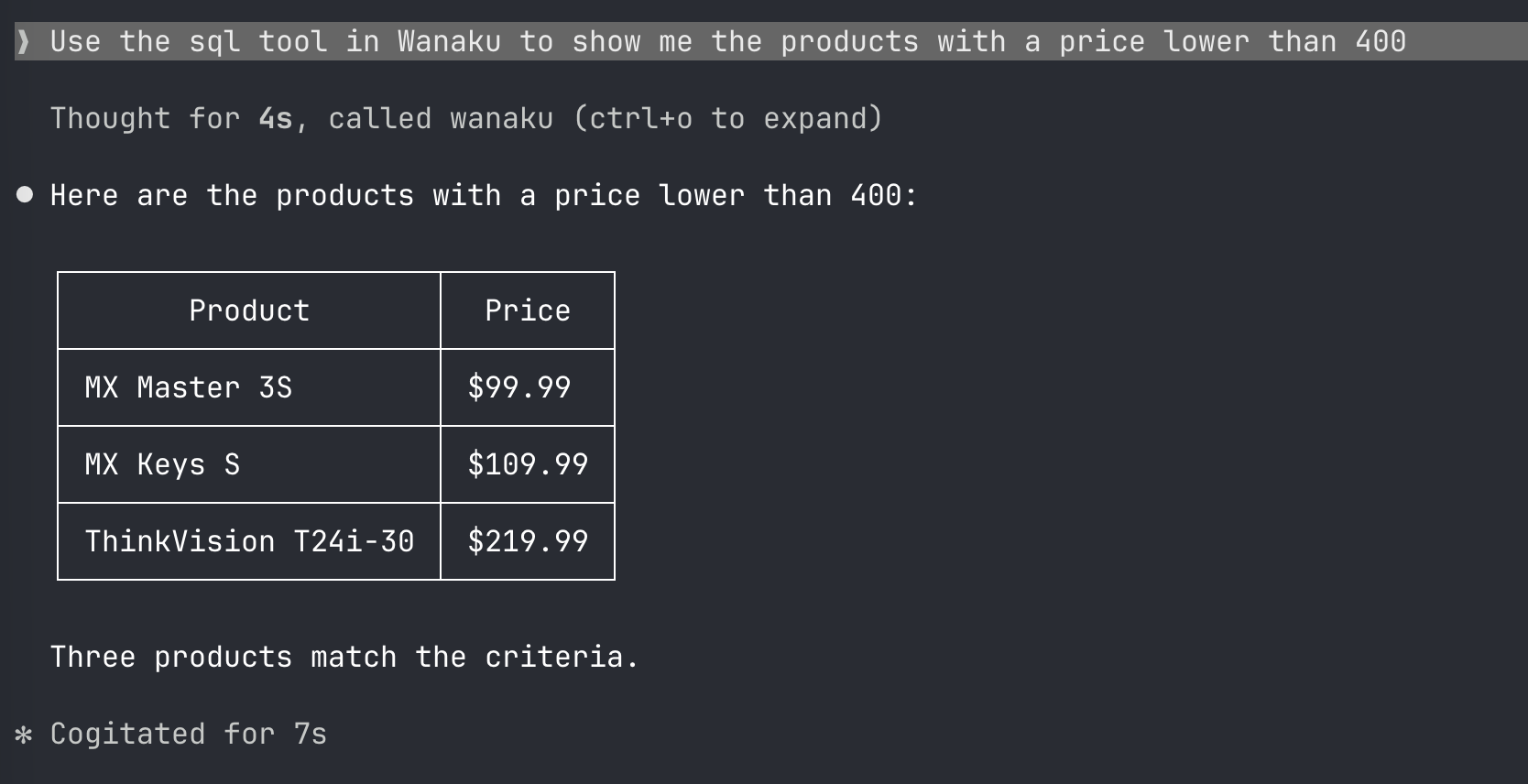
Notice the ${body} placeholder in the query. This is a Camel Simple expression that gets replaced at runtime with the input the AI assistant sends. So when a user asks "what laptops are under 800?", the AI sends 800 as the tool input, and the query becomes SELECT name, price FROM products WHERE price < 800 ORDER BY price.
This is the key insight: the SQL template doesn't just run a static query — it accepts dynamic input from the AI, making it a true interactive tool.
Verify the Deployment
Check that the service was registered:
wanaku service catalog listAnd confirm the data store entries:
wanaku data-store list --plainHow It Works Under the Hood
The sql-tool template uses Apache Camel's SQL component to execute queries. When the AI assistant calls the MCP tool:
- The MCP router receives the tool call with the user's input
- Wanaku routes the request to the Camel SQL endpoint
- The
${body}placeholder in the query is replaced with the AI's input - The query executes against the configured PostgreSQL database
- Results are marshalled to JSON and returned to the AI
- The AI formats the response for the user
The template handles all of this wiring automatically — you just provide the query and connection details.
Parameterizing AI Prompts into Dynamic SQL Queries
The ${body} syntax used in the query is a Camel Simple expression. Since the sql-tool template is built on the Apache Camel SQL component, you can use any expression the component supports.
A few examples:
Simple value substitution:
SELECT * FROM products WHERE category_id = ${body}Using named parameters with headers:
SELECT * FROM products WHERE price < :#maxPrice AND category_id = :#categoryFor more advanced query patterns, refer to the Camel SQL component documentation.
Why This Matters
This demo is small — three tables, ten products — but the pattern scales. The same approach works for:
- Customer support: query order history, account status, or ticket details in real time
- Internal tools: let AI assistants search employee directories, project databases, or asset inventories
- Analytics: expose reporting queries as MCP tools so AI can pull fresh metrics on demand
The point isn't the query. It's that the AI is no longer guessing — it's checking.
Try It Yourself
The sql-tool template will ship with Wanaku 0.2.0. To get started once the release is available:
- Install Wanaku
- Follow the steps above to set up PostgreSQL and instantiate the template
- Connect your MCP-compatible AI client to the Wanaku router
If you find this useful, consider starring the project on GitHub — it helps others discover it.
Have a template idea? We'd love contributions. Check the contributing guide to get started.